 by
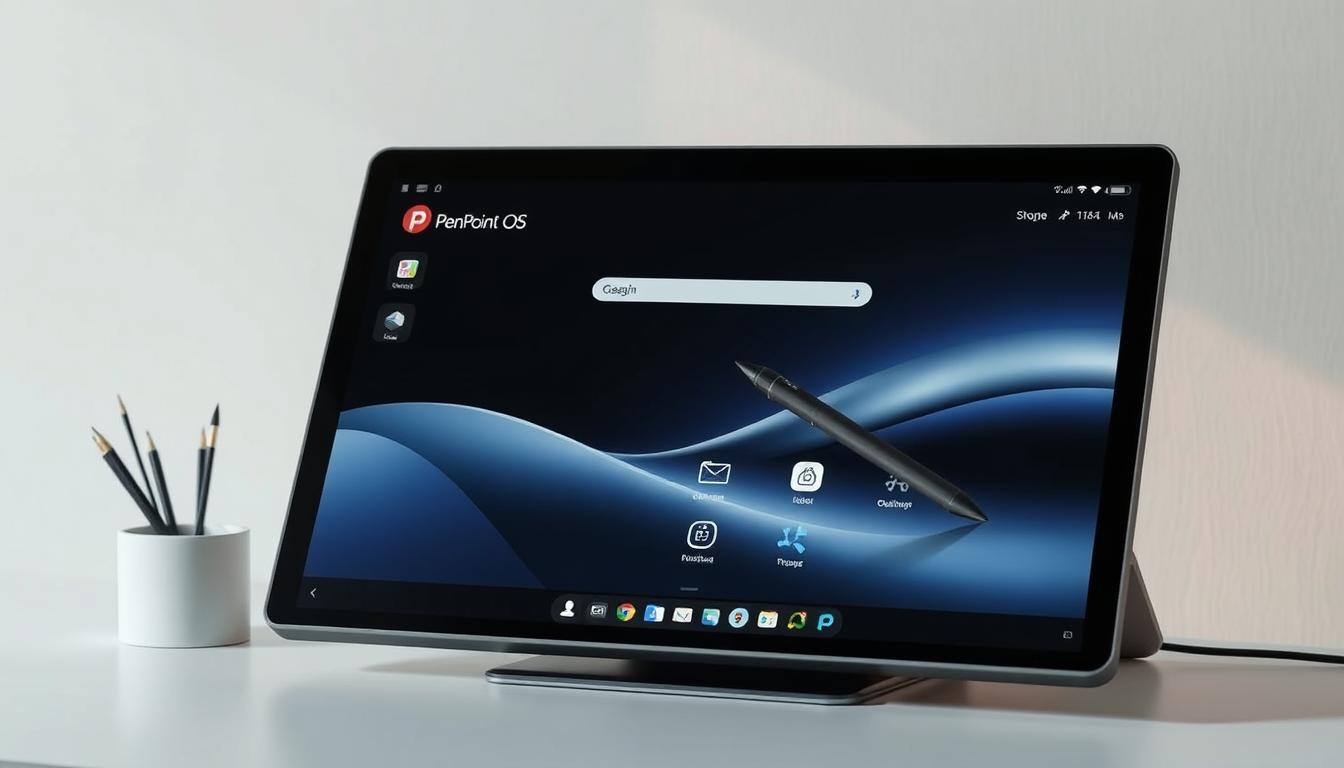
by The PenPoint operating system was a groundbreaking platform for pen-based computing in the early 1990s.
It was made to use the power of pen-based devices. This gave users a new and easy way to interact with their computers.
PenPoint OS was a pioneer in its field. It focused on gesture-based input and recognizing handwritten text.
This innovative operating system was key in shaping the future of pen-based computing. It also influenced the development of later technologies.
The Genesis of PenPoint OS
GO Corporation started a new chapter in computing with PenPoint OS. This pen-based operating system changed how we use computers. It made interacting with them more personal.
GO Corporation and the Birth of a New Paradigm
GO Corporation was founded in 1987 and led in pen-based computing. They wanted a user interface that felt natural and easy to use. They used the pen as the main way to interact, which was revolutionary.
A team of experts at GO Corporation worked on PenPoint OS. They wanted it to be both functional and user-friendly. PenPoint OS made computers more personal and engaging for users.
The Vision Behind Pen-Based Computing
PenPoint OS aimed to make computing easier and more natural. GO Corporation wanted to remove the barriers between users and computers. They designed it to be intuitive, using gestures and handwriting.
This vision went beyond just the technology. It saw the benefits for many industries and users. PenPoint OS marked a big step in personal computing, aiming for a more natural experience.
Historical Context of PenPoint OS Development
In the early 1990s, the world of computing was on the verge of a big change. People wanted computers that were easier to carry and use. This led to a push for mobile computing, with many companies racing to create the best solutions.
Computing Landscape in the Early 1990s
Back then, most computers were desktops, and laptops were rare and big. But, people wanted computers that were smaller but just as powerful. PenPoint OS was made to meet this need, using pens for a more natural way to interact with computers.
The Race for Mobile Computing Solutions
The quest for mobile computing was fierce, with lots of money going into research. GO Corporation, the makers of PenPoint OS, led the charge. They explored new ways to use pens with computers. Here are some important moments in the mobile computing race.
| Year | Milestone | Company |
|---|---|---|
| 1991 | Release of PenPoint OS 1.0 | GO Corporation |
| 1992 | Introduction of EO Personal Communicator | EO Inc. |
| 1993 | Launch of Apple Newton | Apple |
The creation of PenPoint OS was a key part of the move towards mobile computing. It introduced pen-based interaction, a step ahead of its time. This innovation paved the way for future advancements in mobile and tablet technology.
Core Architecture of PenPoint OS
PenPoint OS had a unique design based on object-oriented principles. This made its architecture flexible and modular, ahead of its time.
Object-Oriented Design Philosophy
The object-oriented design of PenPoint OS made it robust and scalable. It organized components into objects for modularity. This made maintenance and updates easier and streamlined app development.
Key benefits included better code reusability and an easier framework for developers.
The Notebook Metaphor
The notebook metaphor was a key part of PenPoint OS’s architecture. It influenced how the OS organized and managed data. This made digital information more familiar to users.
PenPoint OS had a system for organizing pages and documents like a notebook. This made navigation and content management easy and intuitive.
The notebook had pages for different content types. This allowed for flexible and dynamic information management.
PenPoint OS combined object-oriented design with the notebook metaphor. This made it stand out in the early 1990s. Its architecture showed a deep understanding of user needs and set a precedent for future mobile computing.
Revolutionary User Interface of PenPoint OS
PenPoint OS introduced a groundbreaking user interface that changed how we use computers. It was made to be easy and natural, using pens for input.
The interface had two key features: a gesture recognition system and handwriting recognition. These let users interact with devices in a more natural way, using gestures and handwriting.
Gesture Recognition System
The gesture recognition system in PenPoint OS let users do actions with pen gestures. It was designed to be simple, with gestures that felt like real actions. For example, users could delete a document by scribbling over it.
Handwriting Recognition Technology
PenPoint OS also had advanced handwriting recognition. This let users write on the screen to input text. It could recognize different handwriting styles and learn the user’s habits over time.
The Triumph of Natural Input Methods
The mix of gesture and handwriting recognition made PenPoint OS a leader in natural input. It set a new standard for how we interact with devices.
The impact of these technologies is clear in the table below. It shows how PenPoint OS compared to its rivals:
| Feature | PenPoint OS | Competitor A | Competitor B |
|---|---|---|---|
| Gesture Recognition | Yes | No | Limited |
| Handwriting Recognition | Advanced | Basic | No |
| Natural Input Methods | Yes | No | Limited |
The user interface of PenPoint OS was a big step forward. It made computing more intuitive and natural. This made PenPoint OS key in shaping the future of mobile and pen-based computing.
Key Technical Innovations in PenPoint OS
PenPoint OS was built on several key innovations. These advancements boosted its performance and set a strong base for PenPoint applications.
The Component Integration Architecture
PenPoint OS had a unique architecture. It allowed different parts of the system and apps to work together smoothly. This design made it easy to create PenPoint applications by providing a standard way to add new features.
This architecture also helped manage resources well. It was key for PenPoint OS to run smoothly on devices with limited power.
Memory Management and Resource Allocation
PenPoint OS was great at managing memory, even with little RAM. Its memory system was made to use resources wisely. This ensured PenPoint applications could run well, even on devices with limited power.
Power Conservation Features
PenPoint OS had features to save battery life. It managed power for peripherals smartly and had an idle mode to cut down on power use when not in use.
These innovations made PenPoint OS a leader in pen-based computing. It offered a powerful, efficient, and user-friendly platform. This helped pave the way for future mobile and tablet computing advancements.
PenPoint OS Application Framework
The PenPoint OS application framework helped create a rich ecosystem of apps for users. It was made to help developers build innovative and easy-to-use apps.
PenPoint SDK and Development Tools
PenPoint OS had a detailed software development kit (SDK) with many tools. These tools helped developers make apps that were both smart and easy to use. The SDK had libraries, APIs, and sample code to make development easier.
Key Features of the PenPoint SDK:
- Extensive libraries for common tasks
- APIs for accessing PenPoint OS features
- Sample code for reference and guidance
Third-Party Application Ecosystem
The PenPoint OS framework helped grow a lively third-party app ecosystem. Developers made many apps, from productivity tools to entertainment software. These apps improved the user experience.
Programming Model and API Design
The programming model and API design of PenPoint OS were made to support efficient app development. The APIs were easy to use, letting developers focus on creating new features without getting lost in complex interfaces.
The well-designed APIs played a key role in helping developers use PenPoint OS to its fullest.
Notable PenPoint OS Applications
PenPoint OS had many applications, from tools for work to software from other companies. This made it popular with both people and businesses.
Built-in Productivity Tools
PenPoint OS had tools like a word processor, calendar, and contacts manager. These tools were made for using a pen. The notebook metaphor made it easy to use the OS.
Third-Party Software Solutions
Many software solutions were made for PenPoint OS. Developers used the PenPoint SDK to create these apps. They made apps that used PenPoint’s special features, like recognizing handwriting and gestures.
Business and Enterprise Applications
PenPoint OS was also good for work. It had tools for sales, managing inventory, and more. The pen-based interface helped workers input data fast and right.
PenPoint OS was strong because of its tools, software, and work apps. It was good for both personal and work use.
Hardware Devices Supporting PenPoint OS
PenPoint OS was supported by a range of innovative hardware devices. These devices used its pen-based computing capabilities. The OS’s flexibility allowed it to be used in various form factors, meeting different user needs.
EO Personal Communicator
The EO Personal Communicator, developed by EO Inc., was a key device for PenPoint OS. It combined a personal digital assistant, a pen-based computer, and a communicator. This made it a pioneering device in mobile computing.
NCR System3125
NCR’s System3125 was another important device for PenPoint OS. It was designed for business use, showing the OS’s value in enterprise settings. It was great for tasks that needed pen input.
IBM ThinkPad Pen Initiatives
IBM’s ThinkPad Pen initiatives were a big step towards making pen computing mainstream. Not all ThinkPad models used PenPoint OS. But, the effort showed the industry’s interest in pen-based computing.
Other Compatible Devices
Other than the EO Personal Communicator and NCR System3125, many devices worked with PenPoint OS. These included pen-enabled PCs and tablets from various makers. This expanded the OS’s reach.
A tech expert noted, “PenPoint OS and its compatible devices were at the forefront of a new era in personal computing, focusing on intuitive interaction through pen input.” The variety of hardware supporting PenPoint OS showed its adaptability. It also highlighted the industry’s excitement for pen-based technology.
Market Reception and Commercial Performance
PenPoint OS brought a new era to pen-based computing. It sparked a lot of interest when it hit the market. Both industry experts and users were excited.
Initial Industry Enthuasiasm
PenPoint OS was celebrated for its unique pen-centric interface and strong app framework. Experts believed it could change the game in pen-based computers.
“PenPoint OS represents a significant step forward in making computers more intuitive and user-friendly.”
Consumer Adoption Challenges
Despite the buzz, PenPoint OS struggled to win over consumers. The cost of compatible devices and limited software were major hurdles.
| Year | Sales Figures | Market Share |
|---|---|---|
| 1991 | 10,000 units | 2% |
| 1992 | 20,000 units | 4% |
Enterprise Implementation Cases
PenPoint OS found its footing in some business settings. It was a hit where its benefits were clear. Companies like IBM and NCR adopted it.
PenPoint OS vs. Competing Technologies
PenPoint OS had to compete with other pen-based systems like Microsoft Windows for Pen Computing and Apple Newton OS. The early 1990s were a time of intense competition to lead in pen computing.
Microsoft Windows for Pen Computing
Microsoft added pen features to Windows 3.1, aiming to make it pen-friendly. It worked well with existing Windows apps but didn’t match PenPoint’s pen features. PenPoint’s gesture and handwriting recognition were more advanced, making it easier to use.
Apple Newton OS
The Apple Newton MessagePad ran on Newton OS, a big name in pen computing. Its handwriting recognition was a highlight, even if it wasn’t perfect at first. It also introduced cool features like “name slip” and “date slip” for easy data entry. But, Newton focused more on being a PDA than a full computer, unlike PenPoint.
Key Differentiating Factors
PenPoint OS stood out with its object-oriented design and notebook interface. It made using a pen feel natural and intuitive. Its clean design and tools for pen apps also made it unique.
In summary, PenPoint OS was a top contender against Microsoft and Apple. Its PenPoint software made the pen a key part of the user experience, making it more interactive and fun.
The Decline of PenPoint OS
The PenPoint OS was once praised for its unique pen-based interface. But, it lost popularity due to technical and market issues.
Technical Limitations and Challenges
Technical problems were a big reason for PenPoint OS’s decline. It had performance issues and limited hardware compatibility. Its complex pen-based interface also made app development hard.
Market Forces and Business Decisions
Market competition was another factor. It faced strong rivals like Microsoft’s Windows for Pen Computing and Apple’s Newton OS. GO Corporation’s business choices also limited its market presence.
AT&T Acquisition and Aftermath
GO Corporation’s buyout by AT&T in 1992 was a key moment. The deal brought financial help but shifted focus away from PenPoint OS. This reallocation of resources hurt the OS’s chances.
In summary, PenPoint OS’s fall was due to technical hurdles, market competition, and business decisions. Despite its groundbreaking design, it couldn’t overcome these obstacles and eventually faded away.
Cultural Impact and Media Reception of PenPoint OS
The early 1990s saw a big change with PenPoint OS. It was a new way to use computers with pens. This caught the eye of tech fans and the media.
Press Coverage and Technology Media Response
Big tech sites talked a lot about PenPoint OS. They loved its new way of using gestures and how easy it was to use. People thought it could make computers more natural and easy to use.
Influence on Popular Perception of Computing
PenPoint OS showed us a future where computers were smaller and easier to carry. It made people excited about using pens on computers. This idea led to the development of tablets and touchscreens later on.
Representation in Technology Literature
PenPoint OS is talked about in tech history books. It’s seen as a step towards today’s mobile and tablet computers. Its ideas are in many modern operating systems.
PenPoint OS reminds us of the drive for new tech. Its effect on how we see computers and its place in tech history are important. It shows how innovation can change our world.
Legacy and Influence on Modern Computing
PenPoint OS was a trailblazer in pen-based operating systems. It played a big role in shaping today’s mobile and tablet computing. Its unique features and design ideas have left a lasting mark on the tech world.
Concepts Adopted by Later Operating Systems
PenPoint OS brought new ideas to the table. Its object-oriented design philosophy and notebook metaphor changed how we use digital devices. These ideas have been improved and added to many modern operating systems, making them better for users.
Impact on Tablet and Mobile Computing
PenPoint OS was a pioneer in pen-based interaction. This idea is now popular in tablets and mobile devices. The gesture recognition system and handwriting recognition technology it introduced are now common, making touch and pen input a key part of modern computing.
Intellectual Property and Patent Influence
The patents and intellectual property from PenPoint OS have shaped future tech. Many of its innovations have been referenced in later patents. This shows how PenPoint OS continues to influence pen-based and mobile computing.
Conclusion: PenPoint OS as a Visionary Precursor to Modern Mobile Computing
PenPoint OS was a pioneering operating system that set the stage for today’s mobile computing. It introduced gesture and handwriting recognition, which were groundbreaking at the time. Its architecture, based on an object-oriented design and a notebook metaphor, offered a unique user experience.
The influence of PenPoint OS is clear in later operating systems and mobile devices. It played a key role in the development of tablets and mobile computing. Even though it didn’t become widely used, its impact is seen in today’s technology.
PenPoint’s technology and features, like its component integration and power-saving capabilities, were significant. The applications and devices that used PenPoint showed its promise. Knowing about PenPoint’s history helps us understand how it shaped the tech industry.